Light Pack

Motion and After Effects.
Create sophisticated lens flares, automatic shine effects and light related transitions with any of the filters included in the LightPack set.
 Lens Flare
Create custom flares, loaded with powerful features and many presets to choose from. Comes as a plugin effect and a transition as well. Easy to control and customize from a long list of flare looks and assets.

Quick Flare
Customizable lens flares that provide an optional automatic animated move, full of nice features, easy to use, quick to load, and fast to render.
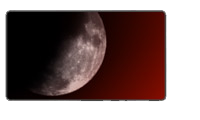
Moon Light
A filter that provides an easy way to create a Moon with flaring effects, obscuration and compositing.
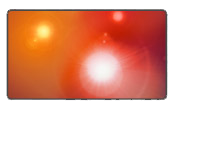
Paparazzi
Create light flash effects that can be easily controlled. The Paparazzi comes as a transitions too, and it is loaded with many presets to compliment those of the Paparazzi plug-in style.

Shine-o-Matic
This plugin allows you to automatically create a shine effect on your video, with point and choose, easy to use parameters and on-screen guides for complete control and accuracy.
100 light effects for Final Cut Pro X
LightPack comes with up to 100 predesigned template based effects, ready to use and customize right inside Final Cut Pro X.
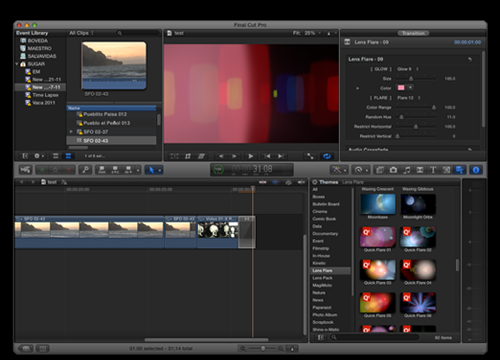
Features: Obscuration, Diminish and Volumetric effects now part of LensFlare.
OBSCURATION : Lens Flare provides a pixel based Obscuration method that makes your lens flare behave as it would in real life by adjusting its luminosity when it is blocked by trees or elements that should be in front of the light flares.

The VOLUMETRIC simulation offers a realistic and fully controllable light rays that are generated from the light location and obeys the obscuration method being used by the lens flare.
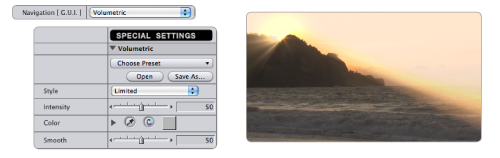
The DIMINISH feature allows you to control the luminosity of your flares when all the flares get too close to each other, avoiding the possibility of blowing out of the light effect. The control is all yours!
Ready to use Presets
LightPack comes with a growing number of presets equivalent to the effects used in Final Cut Pro X, so you can see different results in any host application right after installation.
LightPack is a "must" plug-in that every professional should add to his/her toolbox.
Download and Try.
You can download and install the free trial as part of FxFactory.
 |

|
|