Subtitles 4

Subtitles 4 more powerful than ever.
With SUGARfx Subtitles 4, you can add permanent burnt-in subtitles to your finished movie in Final Cut Pro X, Adobe Premiere Pro, Motion and Adobe After Effects, or export them to multiple formats.
Subtitles 4.0 is capable of handling many languages and fonts, as well as import and export several subtitle formats and style tags, making it one of the most versatile subtitles tools available for multiple applications on the Mac OS.
Click to play - Make sure to Check our other tutorials.
Create your own Subtitles.
We know how tedious the creation of subtitles can be, and that's why Subtitles 4 offers a simple method of creating your own subtitles while using the software that you already know how to use.
Wether you work in Final Cut Pro X or Adobe Premiere Pro, Subtitles 4 can decode the marker data created by any one of these applications and use it as the subtitles text with a perfectly synchronized time code in your timeline.
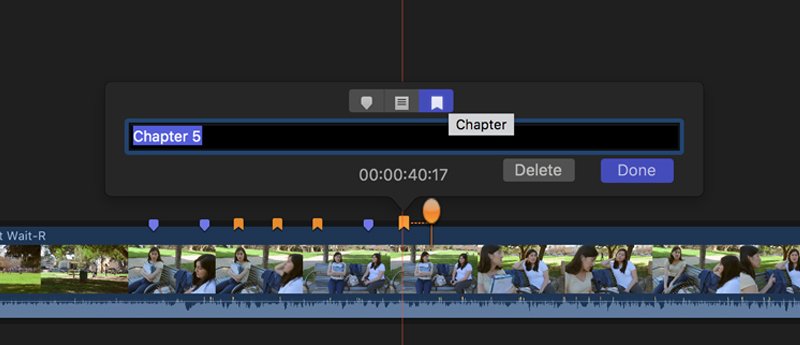
You can easily create the markers for your subtitles in any of these applications, export them and import the data back into Subtitles 4 to get your movie ready for presentation and distribution as quickly as you can.

We cannot type the subtitles for you, but we can make the subtitling process much less complicated.
Versatility. Collaboration.
Subtitles 4 can import several subtitle formats, such as SRT, SBV, Script File and others. You can also use our own UserTC format which is simple to create, edit and easy to understand, or you can create Markers in the application of your choice to generate perfectly time coded subtitles.
But that's not all... You can also export data to other subtitle formats, such as SRT, or exchange data between applications by automatically generating Markers for Adobe Premiere Pro or Final Cut Pro X.
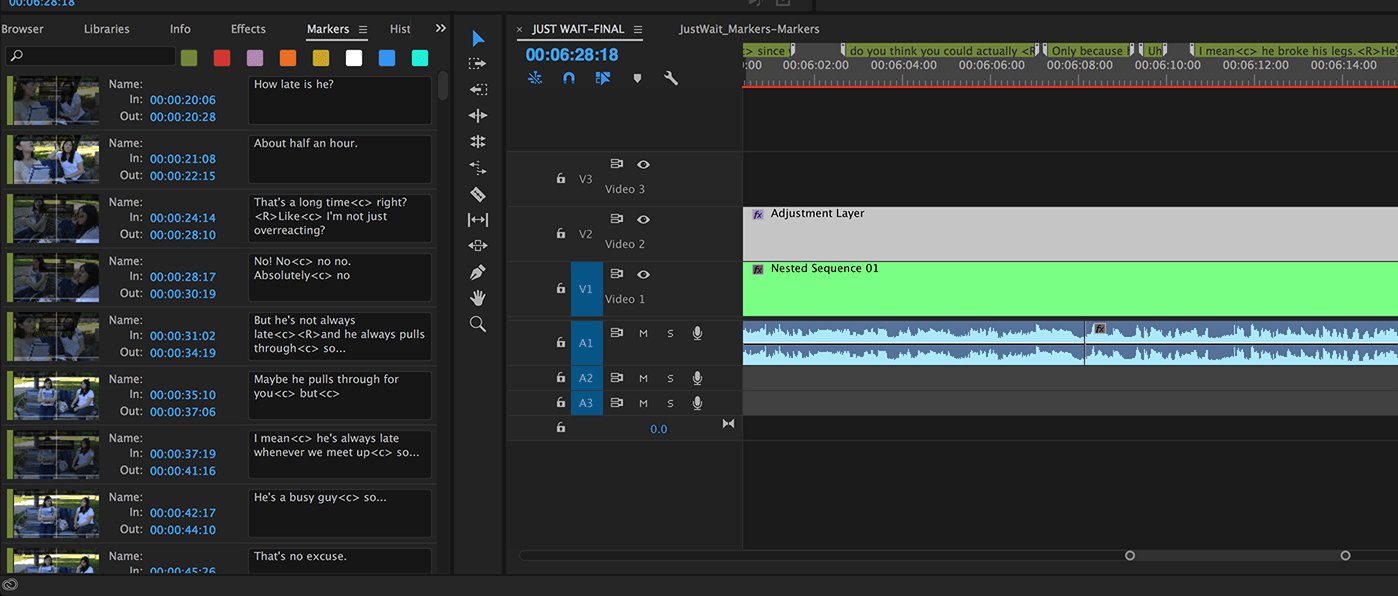
With Subtitles 4 you have several options to bring the subtitling of your movie into your favorite application, and are able to collaborate with a diverse team of editors.
Easy to use.
When you are ready to add subtitles to your final movie, just drag and drop SUGARfx Subtitles 4 in the top track of your editing timeline, select the Import function, choose the Input Format you want to use and load your subtitles text from your hard drive.
Change the text size, the position, the alignment, the font, and any other adjustments to make your subtitles as legible as possible, or export them to other formats for further editing or to share with other applications.


Export ( Data Exchange ).
Exchanging data between FCPX and Premiere Pro is now easier than ever.
You can generate markers for any application and from any application, making it a very versatile tool to create, edit and generate final subtitles in a diverse production environment.
Features.
– SubRip (SRT), YouTube and other formats' support with timecode accuracy for perfectly synchronized placement of subtitles.
– Support of Style Tags on all formats (v2.0.8 and later).
– Type your own subtitle data format (the UserTC format).
– International Support: Supports hundreds of fonts and languages.
– Final Cut Pro X and Final Cut Pro 7 marker support for subtitle creation and timecode accurate placement.
– Adobe Premiere Pro marker support for subtitle creation and timecode accurate placement.
– Data exchange between applications for easy editing and production.
– Comprehensive control over font, style, tracking, justification and position.
– Auto wrapping of text, margin control and text background.
– Auto Duration fine tuning and subtitle overlapping safeguards.
– Use of Presets for multi-user environments.
– On-screen controls and information.
– Multiple Subtitle Export capabilities.
– Improved Performance on all host applications.
International use.
SUGARfx Subtitles 4 works with all of the languages supported by your Macintosh, as well as uses special font characters which allows your movies to reach previously unthinkable international markets.

Download and Try.
Give SUGARfx Subtitles 4 a try today by downloading a watermarked version from the links on this page and check the online tutorials for additional information.
You can also download and install the free trial as part of FxFactory.
 |

|
|